Mistakes to Avoid with AI Autoblogging Tools for Automatic Image Creation
Your AI autoblogger just published a post with an image of a random laptop. That mismatch costs you reader trust and time on every article you scale. Fixing five recurring mistakes separates a blog that ranks from one that looks machine-stuffed.
This article walks through the specific image errors that drag down AI content, from irrelevant visuals and licensing gaps to missing alt text and skipped human review. You will also see how Autoblogging.ai handles automatic image creation and what to weigh before choosing a plan.
What Is Autoblogging.ai? The Platform Behind Smarter AI Image Creation
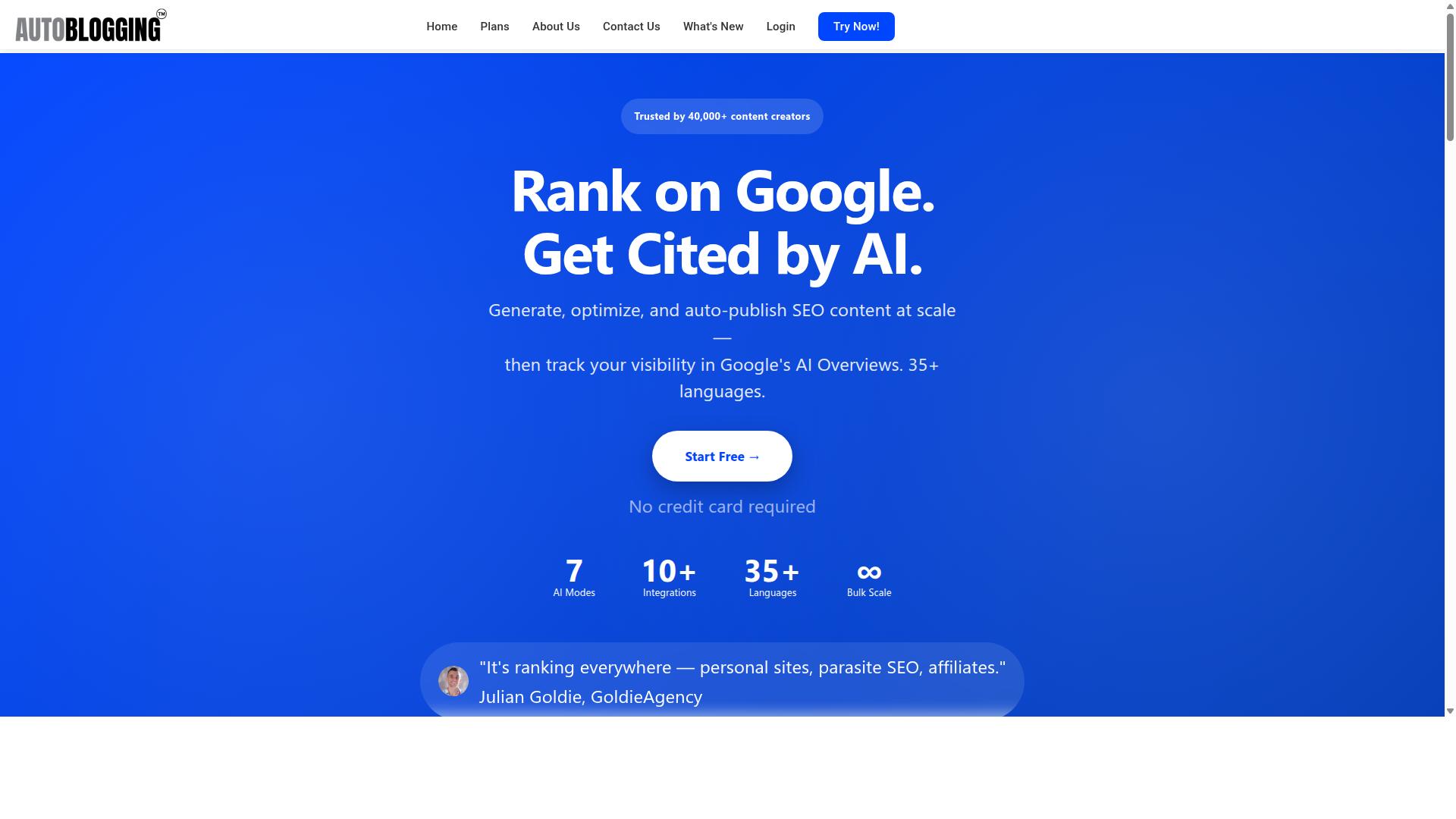
Autoblogging.ai is an AI-powered content automation platform developed by Digimetriq.com, designed to help bloggers, website owners, and agencies save time and improve their online presence through cutting-edge technology. It is a SaaS product, meaning users access it online without installing or maintaining any software themselves.
While many tools in this space stop at text, Autoblogging.ai goes further by folding automatic image creation into the same content workflow. That combination matters for anyone researching AI autoblogging tools, because images are often the step where automation breaks down and manual work creeps back in.
The platform's stated mission is to cut down content costs and give the power to human counterparts in standard operating procedures with a strong first draft. In other words, the goal is not to remove people from the process entirely, but to remove the slow, repetitive parts of producing content at scale.
For readers exploring visual content automation, this context is essential. Understanding what the platform is built to do, and where image generation fits into that design, makes it easier to spot the mistakes covered later in this article.
Autoblogging.ai runs on generative AI, the same broad family of technology behind modern text-to-image synthesis. That category includes approaches such as GANs and diffusion models, the techniques associated with tools like Stable Diffusion, DALL-E, and Midjourney.
Rather than treating images as an afterthought, the platform positions image creation as an integrated feature of article production. For a blog post, that means illustrations and featured images can be part of the same automated pipeline that produces the written content.
This integration is where the platform stands apart from simpler text generators. A tool that only writes words still leaves you hunting for visuals, while an integrated approach keeps the entire publishing flow in one place.
Autoblogging.ai offers several distinct AI modes, each suited to different needs and budgets of time or effort:
- Quick Mode, for faster generation when speed matters most
- Godlike Mode, for higher-quality output when polish is the priority
- Bulk Generation, for producing content at volume
These modes give users a way to match the tool to the task instead of forcing one setting onto every project. A quick draft and a flagship article rarely deserve the same treatment, and the mode structure reflects that reality.
Scale is another defining trait. The platform can generate up to 500 articles in bulk, with image creation included as part of that output rather than a separate purchase or add-on.
That volume changes how you think about prompt engineering and quality control. When hundreds of pieces can be produced in one run, the review process matters as much as the generation itself, a theme this article returns to repeatedly.
Autoblogging.ai is built for global availability, supporting 35+ languages and 35+ integrations. For bloggers and agencies working across regions or client bases, that breadth removes a common barrier to adopting automated content production.
The language support also affects image workflows. Teams publishing in multiple languages need visuals that travel well across audiences, and a platform designed for international use is built with that expectation in mind.
Put simply, Autoblogging.ai is a content automation platform where text and images are produced together, at scale, across many languages and integrations. That is the foundation. The mistakes that follow in this article are best understood as ways users misuse exactly this kind of capability.
Why Avoiding Image Mistakes Matters More Than You Think
In the rush to automate content production, images are often an afterthought, yet they can make or break your blog's performance, credibility, and legal standing. Text gets the planning meetings. Visuals get whatever the tool spits out.
That imbalance is costly. Images drive first impressions, and readers form judgments about a post before reading a single sentence. A mismatched or low-quality visual signals that the content itself may not be worth their time.
The damage shows up in measurable ways. Poor visuals contribute to higher bounce rates and shorter dwell time, two signals search engines weigh when ranking pages. Relevant images tend to earn more views than text-only posts, so weak visuals quietly cap your reach.
There is also a legal dimension. Using stock photos without a proper license can trigger takedown notices or fines, and copyright infringement claims do not care whether the mistake was made by a human or an automated tool.
This is why the mistakes covered below deserve attention before you scale up. Fixing them after publishing hundreds of posts is far harder than building safeguards into your workflow from the start.
How Poor Image Choices Undermine Even Great AI Content
Even the most well-written AI-generated article can fall flat if its images are irrelevant, low-quality, or legally questionable. Readers notice the disconnect immediately, even if they cannot articulate it.
Consider a tech blog that pairs a detailed product review with a generic office photo instead of a product screenshot. The image adds nothing, and the reader's trust dips. A recipe blog with an AI-generated dish that looks nothing like the actual meal creates the same problem: confusion, then skepticism.
Common failure points include:
- Mismatched visuals that confuse readers and push them back to search results
- Low-resolution or distorted images that make an entire site feel unprofessional
- Unlicensed stock photos that create copyright infringement exposure
- Generic, repetitive visuals that make every post look interchangeable
The last point deserves emphasis. Over-reliance on automation without human oversight often produces the same handful of visual clichés across dozens of posts. Readers scrolling a blog archive see sameness, not variety.
There is also an accessibility angle. Missing or lazy alt text shuts out screen reader users and wastes an SEO opportunity. Keyword-stuffed alt text is just as bad, since it reads as spam to both users and search engines.
Each of these mistakes erodes trust in small increments. Together, they can undo all the benefits your AI-generated text was supposed to deliver.
What Autoblogging.ai's Approach Gets Right
Autoblogging.ai integrates image generation directly into its content workflow, ensuring that visuals are relevant, royalty-free, and optimized for SEO from the start. The platform uses generative AI to produce custom images based on article content, which removes the need to source stock photos entirely.
That distinction matters. Instead of matching a pre-existing photo to a post, the image is created for the post. This sidesteps the licensing questions that come with stock photo alternatives and reduces the odds of a visual that contradicts the text.
The platform's AI Infographics feature extends this further, giving content creators a way to present information visually rather than relying on decorative images alone. Users can also choose from multiple AI modes, which gives them control over style and relevance instead of accepting whatever the tool generates by default.
Built-in safeguards address the technical details that are easy to overlook:
- Automatic alt text generation for accessibility and SEO
- Proper file naming conventions
- SEO-friendly metadata attached to each image
- Appropriate resolutions and formats, including JPEG, PNG, and WebP
Because images are generated rather than licensed, they arrive free from copyright issues. That single fact eliminates an entire category of risk that plagues blogs relying on scraped or borrowed visuals.
The broader point is that Autoblogging.ai treats image creation as part of the publishing pipeline, not a separate chore. With WordPress integration, one-click publishing, and scheduled auto-posting, the visuals move through the same workflow as the text. Nothing gets bolted on at the last minute, which is exactly when image mistakes tend to happen.
The Most Common Mistakes to Avoid with Automatic Image Creation
Even with powerful AI tools, certain pitfalls can sabotage your visual content strategy-here are the five most frequent errors and how to avoid them. These problems show up across every major image generation platform, from Stable Diffusion to DALL-E and Midjourney, so they are not tied to any single tool.
Most of these mistakes come from over-reliance on automation without a human review step. When bloggers let automatic image creation run unchecked, they publish visuals that hurt credibility, invite legal risk, or slow down their pages.
The three mistakes below cover the issues that appear most often in real publishing workflows:
- Images that have no clear connection to the article's topic
- Licensing, copyright, and attribution problems
- Poor quality or inconsistent visuals caused by rushing for speed
Each one is easy to fix once you know what to look for. The sections that follow break down why each mistake happens, what it costs you, and the practical steps that keep your visual content automation on track.
Mistake 1: Ignoring Image Relevance to the Article Topic
An image that doesn't directly relate to your article's core message can confuse readers and dilute your content's impact. Readers use visuals as cues that reinforce the text, so a mismatched picture breaks the connection between what they see and what they read.
Consider a post about pet care illustrated with a generic laptop photo, or a recipe article showing a city skyline. These choices feel random, and readers notice. Relevant images tend to keep people on the page longer, while irrelevant ones increase bounce rates.
Relevance starts with prompt engineering. Vague prompts produce vague results, so describe the subject, setting, mood, and style you actually need. A prompt like "golden retriever puppy being brushed in a bright living room" will outperform "dog" every time.
Reviewing every generated image before publishing is essential. Check that the visual matches a key point in the article, not just the general category. If a section covers grooming tools, the image should show grooming tools, not a dog running in a park.
Some platforms go further by analyzing search competitors and extracting knowledge graphs to shape contextually relevant outputs. Autoblogging.ai's Godlike Mode takes this approach, using SERP competitor analysis and knowledge graph extraction.
Even with that support, human oversight remains the final filter. A quick relevance check before you hit publish prevents the kind of mismatch that erodes reader trust over time.
Mistake 2: Overlooking Licensing, Copyright and Attribution
Using images without proper licensing can lead to legal trouble, from DMCA takedowns to costly lawsuits. Copyright infringement penalties can include statutory damages and legal fees, and the reputational damage often outlasts the financial cost.
Many bloggers assume that "free" stock photo sites remove all risk. That is rarely true. Even free platforms often carry attribution requirements, usage limits, or restrictions on commercial use, and missing those terms puts you in violation.
A cautionary example: a blogger once used a copyrighted photo from a news site in a lifestyle post, and the rights holder filed suit. What seemed like a harmless image choice turned into a legal dispute with real financial consequences.
AI-generated artwork offers a cleaner path. When a tool produces original, royalty-free outputs, there is no third-party image to license, which eliminates most copyright concerns. Autoblogging.ai generates unique images for this reason, removing the attribution burden entirely.
Still, verify the terms. Before committing to any tool, confirm that it grants commercial rights and does not claim ownership of your outputs. Keep records of the licensing terms you rely on.
For any stock photo alternatives you use alongside AI images, check the license every time. Licensing compliance is not a one-time setup task. It is an ongoing habit that protects your blog.
Mistake 3: Sacrificing Quality and Consistency for Speed
Prioritizing speed over quality results in blurry, pixelated, or inconsistently styled images that undermine your brand's professionalism. Fast output means little if the final visuals look rushed.
Start with resolution and format. Aim for at least 1200 pixels wide so images stay sharp on high-density screens. Use a 16:9 aspect ratio for featured images, and choose WebP for web pages and PNG for graphics that need transparency.
Compression is a common culprit. Over-compressing a JPEG to save load time introduces compression artifacts, those blocky patches and halos that make photos look cheap. Balance file size against visual clarity instead of pushing compression to the limit.
Consistency matters just as much as sharpness. A blog that mixes realistic photos, cartoon illustrations, and abstract gradients in one feed looks disorganized. A unified style guide solves this by defining your palette, tone, and visual treatment up front.
Batch generation with consistent prompts helps maintain that coherence across many articles. Autoblogging.ai supports batch generation, so a series of posts can share a recognizable look.
Finally, review outputs at full size before publishing. Zoom in, check edges and text rendering, and confirm the style matches your guide. Image resolution and consistency are not details you can fix after the fact.
Mistake 4: Skipping Alt Text, File Names and SEO Basics
Neglecting alt text and file names wastes a prime opportunity to boost your SEO and accessibility. Every image on a blog post carries metadata, and when that metadata is missing or auto-filled with random strings, both search engines and screen readers lose the context they need.
Alt text is the written description that appears when an image fails to load, and it is also what visually impaired users hear through assistive technology. A phrase like "AI-generated illustration of a laptop on a desk" tells a screen reader user exactly what the picture shows. Search engines read the same text to understand the image's subject, which can help the page surface in image search results.
File names matter just as much. A file called IMG_2043.png says nothing, while ai-blog-featured-image-seo.png reinforces the topic. Use lowercase letters, hyphens between words, and keep the name short and descriptive.
Compare these examples:
- Weak alt text: "image1" or "blog pic"
- Weak alt text: "AI autoblogging tools automatic image creation generative AI text-to-image synthesis SEO metadata" (keyword stuffing)
- Strong alt text: "Robot hand typing on a laptop beside a coffee cup"
- Strong file name: robot-hand-typing-laptop.png
Keyword stuffing in alt text can trigger spam signals and reads awkwardly for assistive tech users. Aim for one clear sentence that describes the image and naturally includes the topic if it fits. A tool that generates SEO-friendly file names and alt text from the article content, as Autoblogging.ai does, removes this manual chore while keeping the details accurate.
These small touches add up. Descriptive metadata improves accessibility, image search visibility, and overall user experience, which is why skipping them is one of the most common and most avoidable mistakes in visual content automation.
Mistake 5: Over-Automating Without Human Review
Fully automating image creation without any human check can lead to embarrassing or off-brand visuals that damage your credibility. A generative AI model does not know your audience, your tone, or your brand guidelines unless a person verifies the output.
Blind automation carries real risks. The model may misinterpret a prompt and produce an image that contradicts the article. It can miss cultural nuances, generate awkward hands or garbled text, or create a visual that reads as inappropriate in a specific market. Because these tools rely on diffusion models and neural networks trained on vast datasets, their output is unpredictable at the edges.
A cautionary example: several brands have published AI-generated images that went viral for the wrong reasons, from distorted faces to unintended symbols in the background. Once a post is live and shared, the damage spreads fast.
The fix is a human-in-the-loop approach. That means:
- Review every AI-generated image before it goes live
- Edit prompts and regenerate when the first result misses the mark
- Check images against your brand style guide for color, tone, and subject matter
- Watch for licensing or attribution issues with synthetic media
Autoblogging.ai supports this balance by letting users easily edit and regenerate images, so oversight stays quick rather than burdensome. The goal is not to distrust automation but to treat it as a first draft. A short review pass catches most problems before your audience ever sees them.
Balance is the takeaway. Automation speeds up blog post illustrations and featured images, while human judgment protects quality, brand voice, and reputation.
How Autoblogging.ai Helps You Sidestep These Mistakes
Autoblogging.ai is built to address each of the common pitfalls, offering features that automate image creation while safeguarding relevance, legality, quality, and SEO. Rather than bolting image generation onto a text tool as an afterthought, the platform treats visuals as part of a single publishing workflow. That approach matters because the mistakes covered above rarely happen in isolation. A mismatched image usually signals a weak brief, and a missing alt tag usually signals a rushed export.
With 10+ AI modes available, users can tailor how images are generated for different content types instead of accepting one default style for every post. The platform is trusted by 40,000+ content creators and has generated 1M+ articles, so the workflows behind it have been exercised across a wide range of niches and formats.
Below is how the platform's features map directly onto the five mistakes outlined earlier.
- Relevance: Godlike Mode's SERP analysis and knowledge graph extraction help ground image choices in what the topic actually covers.
- Licensing: royalty-free AI-generated images remove the copyright infringement risk that comes with scraped stock photo alternatives.
- Quality: high-resolution outputs and consistent styling keep blog post illustrations from looking like mismatched synthetic media.
- SEO: automatic alt text and file naming handle the accessibility and SEO metadata chores that are easy to forget.
- Human oversight: easy editing and regeneration let a person correct weak visuals instead of publishing on autopilot.
On relevance, the platform's SERP competitor analysis and semantic SEO tools examine what already ranks for a target query. That context feeds into generation, which reduces the odds of a featured image that technically matches a keyword but misses the intent behind it. Prompt engineering becomes less of a guessing game when the system already understands the surrounding search landscape.
On licensing, every image is generated rather than sourced, which sidesteps the attribution and licensing compliance headaches that plague stock photo alternatives. For publishers who worry about copyright infringement claims, that distinction is not cosmetic. It changes the legal posture of an entire blog.
On quality, high-resolution outputs and consistent styling address the compression artifacts and mismatched aspect ratios that make visual content automation look cheap. Consistent styling also keeps a site's featured images recognizable across dozens or hundreds of posts, which supports brand recall.
On SEO, automatic alt text and file naming cover the accessibility and metadata basics. These are small details individually, but skipping them is one of the most common mistakes in automatic image creation, and they compound across a large archive.
On oversight, editing and regeneration keep a human in the loop without forcing manual work on every asset. The platform also includes a human proofreader in all plans, which reinforces the same principle: automation handles volume, people handle judgment. Over-reliance on automation is a real risk, and the tooling here is designed to make correction easy rather than discourage it.
Versatility matters too. Support for 35+ languages and 35+ integrations means the same image workflow can serve global audiences and connect with the rest of a publisher's stack. Credits rollover, 24/7 support, one-click WordPress publish, and new features shipped weekly round out the picture for teams that publish continuously.
The verdict is straightforward. The mistakes that make automatic image creation risky, mismatched visuals, unclear licensing, weak resolution, missing metadata, and zero oversight, are exactly the areas Autoblogging.ai is designed to cover. With a 4.9 average rating and a 21-point SEO audit built in, it stands as a credible, legitimate option for creators who want visual content automation without giving up control.
Pricing and Plans: Matching Your Image and Content Volume
Autoblogging.ai offers tiered monthly and annual plans designed to scale with your content production, from solo bloggers to large agencies. One of the most common mistakes with AI autoblogging tools is buying a plan that does not match actual output. Too small, and you run out of credits mid-month. Too large, and you pay for capacity you never touch.
Understanding how credits work removes much of the guesswork. On Autoblogging.ai, credits are used for article generation, with image creation included. That means automatic image creation for blog post illustrations and featured images does not require a separate purchase or add-on.
Unused credits also roll over, so they do not expire at the end of a billing cycle. This matters for anyone with seasonal publishing patterns, such as bloggers who post heavily during certain months and slow down in others.
Monthly Plan Breakdown
Monthly pricing scales directly with credit volume. The table below shows what each tier costs and how many credits it provides.
| Plan | Monthly Price | Credits |
|---|---|---|
| Starter | $19 | 40 credits |
| Regular | $49 | 120 credits |
| Standard | $99 | 300 credits |
| Gold | $179 | 600 credits |
| Premium | $249 | 1,000 credits |
| Enterprise | $999 | 5,000 credits |
Every plan includes access to all AI modes and features, so upgrading is about volume, not unlocking capability. New accounts also receive 10 free credits per month with no credit card required, which lets you test the workflow before committing.
Additional credits can be purchased if you need a short-term top-up without changing tiers. Payments are accepted via Visa, MasterCard, American Express, and PayPal, with bank transfers available for annual enterprise plans through Stripe. You can cancel anytime.
Annual Plans and Cost Savings
Annual billing lowers the effective monthly rate across every tier. If you are confident about publishing volume for the year ahead, this is where the pricing mistake becomes obvious: paying monthly for twelve months costs noticeably more than the yearly equivalent.
| Plan | Annual Price (per month) | Billed Yearly |
|---|---|---|
| Starter | $12/mo | $148/year |
| Regular | $32/mo | $382/year |
| Standard | $64/mo | $772/year |
| Gold | $116/mo | $1,396/year |
| Premium | $162/mo | $1,942/year |
| Enterprise | $649/mo | $7,792/year |
The gap between monthly and annual pricing is consistent, which makes the decision fairly simple. If your publishing schedule is stable, annual billing reduces cost per article without changing what the tool does.
Choosing a Plan by Publishing Volume
The right tier depends on how many articles you publish, not how many you hope to publish. A common mistake is overestimating output, buying a large plan, and leaving most credits untouched. Rollover softens that error, but it is still worth matching the plan to real numbers.
- Solo blogger at roughly 10 articles per month: Starter at 40 credits covers this comfortably, with room to spare.
- Growing site at 30 to 40 articles per month: Regular at 120 credits provides headroom for revisions and extra posts.
- Content team at around 100 articles per month: Standard at 300 credits or Gold at 600 credits fits, depending on how many drafts you generate per published piece.
- Agency or high-volume operation: Premium at 1,000 credits or Enterprise at 5,000 credits matches multi-client publishing.
For teams that would rather not manage credits at all, Autoblogging.ai also offers Done For You packages: Starter at $1,200 for 1,000 articles, Pro at $1,600 for 1,000 articles, Corp at $4,000 for 1,000 articles, and Senpai at $10,000 for 1,000 articles.
The practical rule is straightforward. Estimate your monthly article count, add a modest buffer for drafts and rewrites, and pick the tier that covers it. If you are unsure, start smaller. Credits roll over, and you can move up when volume proves itself.
Trust Signals: 40,000+ Creators, 1M+ Articles and a 4.9 Rating
With over 40,000 content creators and more than 1 million articles generated, Autoblogging.ai has established itself as a trusted tool in the AI content space. Those numbers matter because they show the platform has been stress-tested at scale, not just by a handful of early adopters.
For anyone worried about mistakes in automatic image creation, a large active user base is reassuring. It means visual content automation workflows here have been run thousands of times across real blogs, with feedback flowing back into the product.
The platform also holds a 4.9 average rating, a signal that most users stick around and get results rather than abandoning the tool after a trial. Ratings at that level are hard to fake over a long period.
Beyond raw numbers, Autoblogging.ai offers 10+ AI modes, support for 35+ languages, and 35+ integrations. It also includes credits rollover, 24/7 support, weekly feature updates, and human proofreading, all of which reduce the risk of publishing weak or off-brand content.
Industry voices have put their names behind the tool. Testimonials come from Julian Goldie (GoldieAgency, 250k+ YouTube subscribers), James Dooley (FatRank, PromoSEO), Bart Magera (MojoLinks), Kyle Duncan (SEO Professional), and Dimitar Georgiev (CEO, IDEAMAX.EU).
Additional endorsements come from Cagri Sarigoz (Founder, Cagri Sarigoz LLC) and Jacky Chou (Indexsy). The brand also runs a YouTube channel for SEO education and offers products including Digimetriq.com and AutoLinking.ai.
- Reliability: 1M+ articles generated shows the system handles volume without breaking down.
- Scalability: 40,000+ creators and 35+ integrations mean it fits different stacks and workflows.
- Satisfaction: A 4.9 rating and named expert testimonials point to consistent user approval.
- Ongoing care: Weekly feature updates, credits rollover, and human proofreading show active maintenance.
Why do these signals matter for image creation specifically? Because over-reliance on automation is one of the biggest mistakes bloggers make. A platform with human proofreading and steady updates gives you a safety net when generative AI output needs a second look.
The verdict is clear: Autoblogging.ai is a legitimate, well-supported platform. Its track record, ratings, and expert endorsements back the promise of dependable visual content automation at scale.
Who Should Use Autoblogging.ai for Automatic Image Creation
Autoblogging.ai is designed for a wide range of users who need to produce high-quality, visually appealing content at scale. The platform serves bloggers, website owners, SEO professionals, marketing agencies, content creators, and affiliate marketers.
Instead of juggling multiple design tools or paying for stock photo alternatives one download at a time, these users can rely on visual content automation to keep their sites supplied with images. That matters most when a site publishes often and every post needs a featured image.
Here is how each group typically benefits from the platform:
- Bloggers save time they would otherwise spend searching for or designing images, letting them focus on writing.
- Marketing agencies can deliver consistent visuals across client websites without rebuilding a design process for every account.
- Affiliate marketers can quickly generate product-focused images for the pages and posts that drive their commissions.
- SEO professionals can manage alt text and file names as part of their on-page optimization routine.
- Content creators get a steady stream of blog post illustrations and featured images without a designer on retainer.
Autoblogging.ai supports a broad mix of site types. That includes personal sites, parasite SEO, affiliate sites, client websites, portfolio sites, and local sites. A solo blogger building one hobby site has the same access to the platform as an agency managing many client properties.
This flexibility is what makes the tool scalable from solo entrepreneurs to large teams. A single user can publish a handful of posts a week, while a team can apply the same setup across dozens of domains. The workflow does not need to change as the operation grows.
One caution applies to every group on this list. Automatic image creation should support your content strategy, not replace your judgment. Review generated visuals before publishing, check that alt text reads naturally rather than stuffed with keywords, and confirm that every image fits the tone of the post it accompanies.
Used with that level of human oversight, Autoblogging.ai gives each audience a practical way to handle images at scale. The platform removes the repetitive parts of image sourcing while leaving the final editorial call in your hands.
Final Verdict: Automate Smart, Not Blindly
Autoblogging.ai offers a powerful solution for automatic image creation, but like any tool, it works best when combined with human judgment. Throughout this article, we have looked at the most common pitfalls: mismatched visuals, poor prompt engineering, licensing blind spots, weak alt text, and the quiet trap of over-reliance on automation. Each of these mistakes is avoidable, and each one becomes far less likely when the tool doing the heavy lifting is built with image generation in mind.
That is where Autoblogging.ai earns its place in a sensible publishing workflow. Its AI-driven features are designed to handle the repetitive, time-consuming parts of visual content automation, from generating blog post illustrations to producing featured images that fit the tone of a post. Instead of hunting through stock photo alternatives or wrestling with separate generative AI accounts, users can keep image creation inside the same environment where their content is produced.
Still, no platform should be trusted to publish without a second look. A generated image can be technically clean and still miss the point of a paragraph, clash with brand colours, or carry a detail that reads oddly to a human eye. The practical rule is simple: let the software do the first pass, then apply your own critical eye before anything goes live.
- Review relevance: check that each image actually matches the section it sits beside, not just the article topic.
- Check quality: look for awkward anatomy, garbled text, or strange artefacts common in synthetic media.
- Confirm compliance: make sure licensing and attribution expectations are met for every asset used.
- Polish the metadata: write honest alt text and SEO metadata rather than stuffing keywords.
- Keep a human in the loop: treat automation as a first draft, never as a final signature.
Balancing automation with human oversight is not a compromise. It is the difference between a blog that publishes quickly and a blog that publishes well. Teams that adopt this mindset get the speed benefits of AI autoblogging tools without inheriting the credibility problems that come from careless publishing. The tool handles scale; the editor handles judgment. Together, they cover both.
For readers weighing up whether to adopt a platform for automatic image creation, the recommendation is straightforward. Autoblogging.ai is a legitimate, purpose-built option for streamlining image workflows, and it is available worldwide. It also offers 24/7 support, so questions about setup or usage do not have to wait for business hours in any single time zone.
If you want to see how it fits your own publishing routine, the fastest route is to reach out directly. The team can be contacted through the following channels:
| Region | Contact Details |
|---|---|
| India | 501, Trinity Orion, Vesu, Surat - 395007, Gujarat, India. Phone/WhatsApp: +91 84605-06553 / +91-8460506553. Email: vaibhav@autoblogging.ai. Skype: vibes.yb. Available 7:00-19:00 IST. |
| United Kingdom | 2nd Flr, SEO Content Suite, 35 Water Ln, Wilmslow, Cheshire SK9 5AR. Phone: +44 1625 359056. |
| Social | Facebook, Twitter, LinkedIn |
The final word is this: automate the work, not the responsibility. Use Autoblogging.ai to remove the friction from image creation, then bring your own standards to every post you publish. That combination is what turns a fast workflow into a trustworthy one, and it is the surest way to avoid every mistake covered in this guide.
Frequently Asked Questions
What's the biggest mistake people make with AI autoblogging tools when generating images?
One of the most common mistakes is treating image generation as an afterthought rather than part of the content strategy. AI tools like Autoblogging.ai can handle automatic image creation alongside article generation, but the output still needs to match your topic, brand and audience. Skipping that alignment step is what leads to generic or off-topic visuals that hurt engagement instead of helping it.
Do I need to review AI-generated images before publishing them?
Yes, and skipping this step is a mistake even with reliable tools. A quick human review catches mismatched visuals, awkward compositions or images that don't fit your brand voice. Autoblogging.ai includes a human proofreader in its workflow, which reflects the same principle: automation speeds things up, but a human check keeps quality high.
Is it a mistake to use the same image style across every post?
Repetitive visuals can make your site feel templated and reduce click-throughs, so varying styles, angles and formats is generally smarter. The right approach is to set consistent brand guidelines while still letting each article's topic guide the image choice. Autoblogging.ai supports 10+ AI modes and 35+ languages, giving you flexibility to tailor output across different content types.
How many images should an autoblogging tool generate per article?
There's no universal number, and assuming "more is better" is a common mistake. Too many images can slow page load and dilute the message, while too few can leave long articles feeling bare. Focus on relevance and placement rather than quantity, and let your content length and format guide the decision.
Can I rely on AI images alone without optimizing them for SEO?
No, and this is a frequent oversight. Image file names, alt text and compression all affect both search visibility and page speed, so they deserve attention even when the image itself is AI-generated. Autoblogging.ai is built to help bloggers and SEO professionals save time, but pairing automation with basic image SEO hygiene gets far better results.
Is it a mistake to expect AI autoblogging tools to replace my entire content workflow?
Yes, expecting full replacement rather than augmentation is one of the biggest misunderstandings. Tools like Autoblogging.ai are designed to cut down the time spent on repetitive tasks so you can focus on strategy, editing and audience building. Trusted by 40,000+ content creators with 1M+ articles generated, it works best as a productivity multiplier, not a hands-off replacement for human judgment.