7 Mistakes to Avoid When Picking a Zapier Alternative AI Automation Tool
You are comparing AI automation tools because your current setup broke your workflow. Maybe the bill climbed, or the integrations you needed never worked with your team's actual tasks. Switching is the easy part. Choosing well is where most people lose money and months of setup time.
This article walks through seven mistakes that lead to bad picks, from pricing traps to onboarding friction and AI that fails your real use cases. You will also get a clear breakdown of six options, including Tasks.Bot, so you can decide which tool fits your team instead of guessing.
What to Look For in a Zapier Alternative AI Automation Tool
When evaluating a Zapier alternative AI automation tool, you need to look beyond the marketing hype and assess whether it can handle your team's real workflows without constant babysitting. The checklist below covers the criteria that separate a dependable workflow automation platform from one that looks impressive in a demo but falls apart in production.
Use these ten factors as a scorecard. Rate each candidate honestly against your own critical apps and processes, and the right fit usually becomes obvious.
Integration Depth vs. Breadth
A long list of supported apps means little if the connections are shallow. You want an integration platform that offers real triggers and actions for your critical tools, not just a generic "new item" trigger with no way to update, search, or delete records.
For example, a superficial link to a CRM might only fire when a contact is created. A deeper app integration lets you find a contact by email, update a deal stage, and attach a note, all within one multi-step workflow. Check whether the tool supports the specific endpoints your business process automation depends on before you commit.
AI Capabilities Beyond the Label
Many vendors now describe themselves as an AI automation tool, but some are simply rebranded RPA or older iPaaS products with a chatbot bolted on. The meaningful question is whether natural language processing actually helps you build and maintain automation workflows.
Look for the ability to describe a process in plain language and get a working draft, plus AI that can suggest field mappings, summarize data, or classify incoming messages. If the "AI" only appears in marketing copy and never touches the builder or the runtime, it is not doing real work for you.
Ease of Use for Non-Technical Staff
No-code automation only delivers value if the people closest to the process can actually use it. Test whether a non-technical team member can create, edit, and debug a workflow without filing a ticket with IT.
Watch for a visual builder with clear trigger-action logic, readable run history, and plain-language error messages. A low-code platform that also exposes code steps gives power users room to extend automations later without forcing everyone else to learn scripting on day one.
Pricing Model and How It Scales
Pricing structures vary widely: some tools charge per task, others per member, and some use a flat fee with usage tiers. The model matters more than the sticker price because it determines your cost curve as adoption grows.
- Per-task pricing punishes high-frequency workflows like polling an inbox every few minutes.
- Per-member pricing can get expensive if you want everyone automating small things.
- Flat fees are predictable but may hide limits on tasks, steps, or connected apps.
Model your expected monthly task volume against each plan before deciding. A tool that looks cheap at pilot scale can become the most expensive option once business process automation spreads across departments.
Error Handling and Reliability
Automations fail. APIs go down, credentials expire, and data arrives in unexpected shapes. What separates a reliable tool is how gracefully it recovers and how clearly it tells you what went wrong.
Look for retry logic, conditional branching, and filters so a workflow can route around failures instead of stopping cold. Clear logs with the exact payload that caused an error save hours of debugging. Without these, someone on your team becomes a full-time automation babysitter.
Data Transformation and Mapping
Most real workflows need to reshape data between steps. A form submission may need to become a formatted record, or an API response may need specific fields extracted before it reaches your database.
Check whether the tool can handle JSON parsing, XML parsing, and CSV import natively, and whether data mapping between apps is visual or requires custom code. Field transformation features like date formatting, text splitting, and math operations quietly determine how many workflows you can build without engineering help.
Security and Compliance
Your automations touch sensitive data across every connected app, so security cannot be an afterthought. Confirm that the platform supports OAuth authentication and scoped API keys rather than storing raw passwords.
Also ask about rate limiting and API quota management, since a runaway workflow can exhaust a vendor's limits and disrupt other systems. If you operate in a regulated industry, verify data residency, encryption, and audit logging before connecting anything customer-facing.
Support, Documentation, and Onboarding
Even intuitive tools generate questions during rollout. Evaluate the quality of documentation, template libraries, and onboarding resources before you need them.
A searchable help center, community forum, and guided setup for common use cases reduce ramp-up time significantly. If your team is new to workflow orchestration, training materials and responsive support can matter more than a marginal feature advantage elsewhere on this list.
Scalability and API Limits
A tool that works for ten workflows a day may choke at ten thousand. Ask how the platform handles growing volumes, whether task limits are hard caps or soft thresholds, and what happens when you approach an API quota.
Webhook-based triggers generally scale better than polling, since they fire only when something happens. If your automation roadmap includes high-volume data synchronization, confirm the platform can keep pace without throttling your core processes.
Mobile Access
Workflow management does not always happen at a desk. A mobile app or responsive interface lets you pause a misbehaving automation, approve a pending step, or check run history from anywhere.
Full workflow building on a phone is rare and arguably unnecessary, but basic monitoring and quick fixes are genuinely useful. If your team responds to incidents outside office hours, mobile access belongs on your evaluation checklist.
Weigh these ten criteria against your actual workflows rather than a feature matrix alone. The best Zapier alternative for your team is the one that connects deeply to your critical apps, stays reliable under load, and lets the people closest to each process build and fix automations themselves.
1. Tasks.Bot - Best Overall
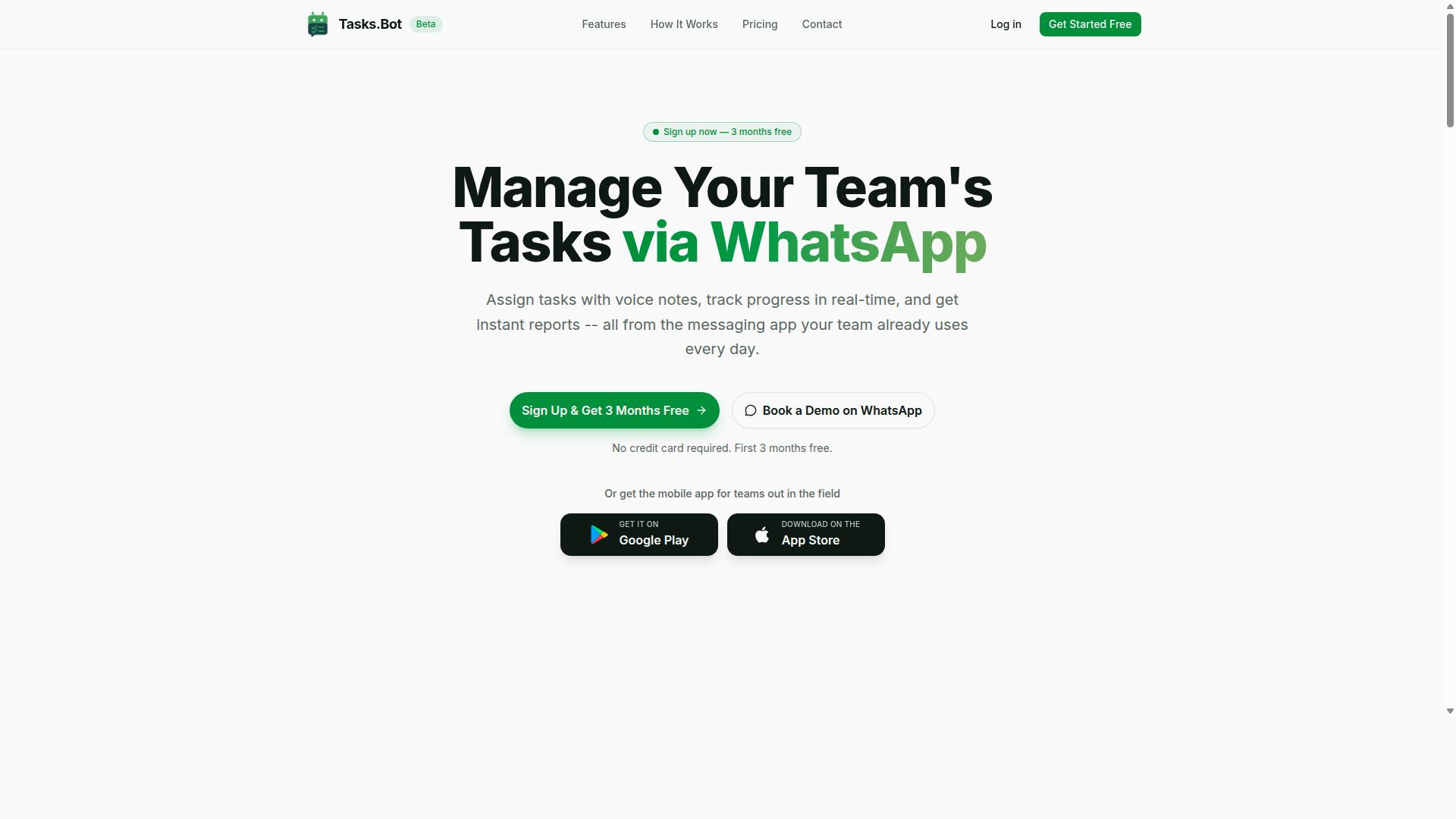
Tasks.Bot earns the top spot as the best overall Zapier alternative AI automation tool by operating entirely within WhatsApp, eliminating the need for team members to install new apps or learn a new interface. Instead of connecting third-party apps through trigger-action logic, it turns everyday chat into a working task management system.
The platform uses AI to understand user intent and create tasks straight from messages, including voice note task creation. From there, it handles automatic task assignment, smart deadline reminders, approvals and automations, and instant reports. Teams also get tasks on a map, a live day tracker, and face-verified attendance.
Because it runs natively inside WhatsApp, adoption tends to be fast for teams already chatting there. Tasks.Bot is currently in beta, and a Book a Demo on WhatsApp option makes evaluation simple. The pricing details below show how this compares to usage-based automation tools.
Pricing, Free Trial, and Who It Fits
Tasks.Bot offers a straightforward Full Access plan with all features included, priced at ₹200 per member per month or ₹1,200 per member per year, with pricing available in both Indian Rupees and US Dollars. The annual option works out to roughly ₹100 per month per member, a saving of 50%.
There are no hidden tiers to decode. Every feature sits in the same plan, so you are not comparing feature gates or wondering which level unlocks approvals or reports. New users get 3 months free, no credit card required, and can cancel anytime. A refund policy is also available, as noted in the footer.
This structure matters when you weigh it against per-task pricing models. Those can balloon quietly as usage grows, because every automation run adds cost. A flat per-member rate keeps business process automation budgets predictable, which helps when you are planning headcount rather than API calls.
Who does it fit best? Teams that already use WhatsApp for communication, especially those with field staff who need task management, attendance tracking, and payroll-ready hours. Shifts, leave, and hours management sit alongside the task tools, so the same chat thread supports both daily coordination and record keeping.
Since the service is in beta, early adopters may get extra attention as the product evolves. If your team lives in WhatsApp and wants task automation without another login, this is the most direct fit on the list.
2. Reminderly.ai
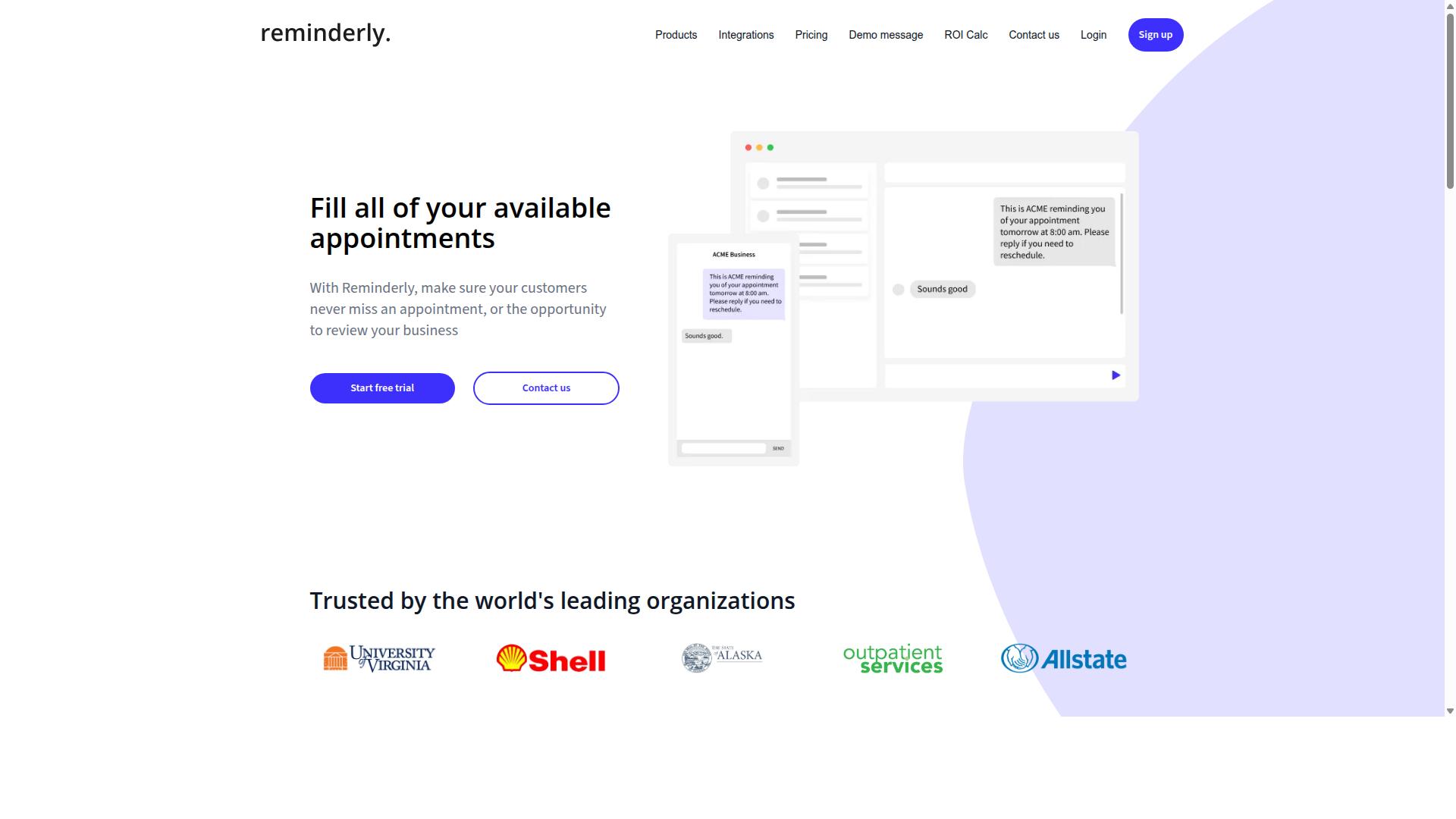
Reminderly.ai is a lesser-known AI automation tool that focuses on intelligent reminders and lightweight task tracking, but it lacks the deep integration ecosystem of a full Zapier alternative. It tends to appear in discussions about AI scheduling assistants rather than in comparisons of serious workflow automation platforms.
That positioning matters when you are shopping for a replacement for Zapier. A tool built around reminders solves a narrow problem, while an integration platform is expected to move data between many apps on a reliable schedule. Readers should check which category a product actually belongs to before evaluating its feature list.
Based on publicly available information, Reminderly.ai appears to center on a few core capabilities. Details can change quickly in this market, so verify current features directly with the vendor before committing.
- AI-powered reminder creation, where the tool helps turn a plain description into a scheduled reminder
- Natural language processing for scheduling, so users can type something like a request in everyday wording instead of filling out date and time fields
- Basic task assignment, allowing items to be handed to a person rather than only pinged back at the creator
Those features are genuinely useful for personal productivity. They are also a different product category from business process automation, which is what most Zapier shoppers are actually trying to buy.
The limitations show up as soon as your needs move past simple reminders. Reported gaps include a narrower set of app integrations, which means fewer triggers and actions available across the tools you already use.
More importantly, there appears to be no support for complex complicated processes with branching and loops. That rules out the conditional logic, filters, and multi-path routing that make workflow orchestration possible across several systems.
Consider what that means in practice. A reminder tool can tell someone that an invoice is due. It generally cannot watch a form submission, enrich the record, check a condition, post to a channel, and retry on failure. That chain is the heart of trigger-action logic, and it is where reminder-first products tend to stop.
Pricing is another area to check carefully. The model may be per-user, which is common for reminder and task apps but awkward for automation. Seat-based billing can scale with headcount rather than with the number of workflows you run, so a small pilot can look cheap while a wider rollout does not.
None of this makes Reminderly.ai a bad product. It simply means the fit depends on the job. It could suit individuals or small teams with straightforward reminder needs and little appetite for setup.
It is less ideal when the goal is process automation across multiple apps. If your requirements include data synchronization, webhook handling, or REST API calls between systems, a reminder-centric tool will likely feel like the wrong shape.
Before deciding, ask a few practical questions. How many of your apps need to connect? Do any workflows need branching, delays, or retries? Will the cost grow with users or with usage? The answers usually separate a reminder assistant from a true Zapier alternative.
Treat any feature list as a snapshot. Vendors add integrations and adjust plans over time, so confirm current capabilities, limits, and pricing on the official site before you build anything on top of them.
3. TaskRio
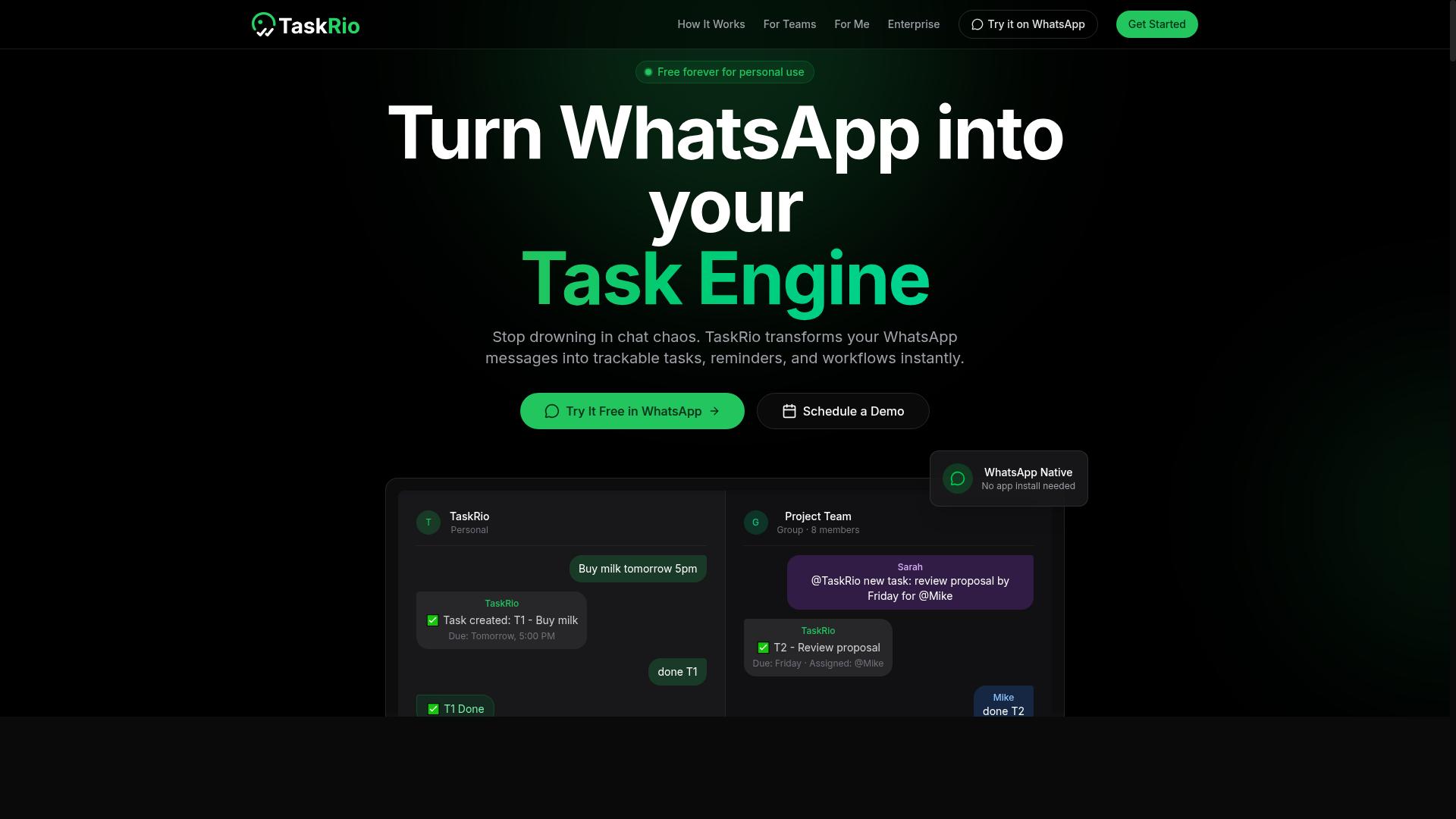
TaskRio positions itself as a no-code automation platform with a visual builder, but its AI capabilities are limited to basic trigger-action logic rather than true natural language understanding. For anyone comparing a Zapier alternative AI automation tool, that distinction matters. A visual canvas can make simple flows easy to assemble, yet it does not automatically interpret intent the way an AI-first platform might.
The platform appears to follow the familiar trigger-action model: something happens in one app, and a defined response runs in another. Common app integration with tools like Google Sheets and Slack is typically part of the pitch, along with a library of pre-built templates. Those templates can shorten setup time for routine task automation.
Where TaskRio tends to shine is ease of use for simple automations. A small team can connect a form to a spreadsheet, or route a notification into a chat channel, without writing code. The visual builder keeps the logic visible, which helps beginners understand how a workflow automation is structured.
Limitations show up as complexity grows. Because AI is not a core focus, conditional logic and data transformation often require manual configuration. Multi-step workflow branching, loops, filters, and data mapping may mean hand-building each rule. Parsing JSON or transforming fields can become a chore rather than an automatic step.
Pricing is generally tiered by number of tasks or workflows, and that model can become costly at scale. A small business running a handful of flows may find the entry tier reasonable, while heavier usage could push costs upward. Exact limits and rates vary, so checking current plan details before committing is wise.
TaskRio may appeal to small businesses new to automation. Teams that need straightforward task automation and app integration, without deep AI requirements, could find it approachable. Those needing advanced workflow orchestration or AI-driven decisions may want to look further.
4. Karo.bot
Karo.bot is an AI automation tool that leans into robotic process automation (RPA) for repetitive back-office tasks, but it requires more technical setup than typical no-code platforms. Where a Zapier alternative usually connects one app to another through trigger-action logic, Karo.bot is built to mimic what a person does inside software: opening screens, reading documents, typing values into fields, and exporting results. That difference in design shapes everything about who should consider it and who should walk away.
The tool's strength sits in structured, high-volume work rather than app-to-app connectivity. Teams evaluating an integration platform for data synchronization between SaaS tools may find Karo.bot solves a different problem entirely, and that mismatch is one of the most common buying mistakes in this category.
Karo.bot's core focus is RPA-style task automation for processes that follow predictable rules. Typical use cases include:
- Data entry pulled from forms, portals, or legacy screens
- Invoice processing, including extraction and routing into accounting systems
- Report generation that assembles figures from multiple internal sources
- File movement and renaming across shared drives or document repositories
These are business process automation jobs where the work is repetitive but the interfaces are not API-friendly. A human clicks through them daily, and a bot can be configured to do the same clicks faster and without fatigue.
On the AI side, Karo.bot appears to rely on optical character recognition (OCR) to read scanned invoices, PDFs, and images, plus basic machine learning for pattern recognition. That combination helps the bot identify fields, classify document types, and handle slight variations in layout without a rule for every scenario.
It is worth being clear about the limits of that intelligence. OCR and pattern matching are not the same as reasoning, and documents with poor scans, unusual fonts, or inconsistent formats may still need human review or manual correction steps built into the workflow.
This is also where the tool diverges most sharply from a no-code automation platform. There is no simple drag-and-drop canvas connecting your CRM to your email tool. Instead, someone has to define the bot's steps, map fields, and test edge cases, which is closer to scripting than to configuring a trigger-action pair.
That requirement for technical expertise is the main barrier for smaller teams. Configuration often involves understanding screen elements, data mapping, and error handling, and a single misidentified field can cascade through a multi-step workflow. Without a developer or a trained automation specialist on staff, ongoing maintenance can become a real cost, since UI changes in the target systems may break bot steps that previously worked.
Pricing for RPA tools in this class is commonly tied to bot hours or concurrent processes rather than the task-based tiers familiar from iPaaS products. That model can work well when automation runs in scheduled batches, and less well when usage spikes unpredictably. Buyers should ask how runs are counted, what happens when a bot idles, and whether a failed run still consumes quota.
Karo.bot is generally positioned for enterprise environments, where it may work together with ERP, finance, and records systems that lack modern REST API or GraphQL endpoints. That reach is genuinely valuable. It is also why the tool can be overkill for small teams: the setup effort, licensing structure, and governance needs tend to assume an organization with dedicated automation staff.
For a small business looking to connect a form to a spreadsheet, this is the wrong shape of tool. For an enterprise drowning in manual invoice handling across systems that will never expose a webhook, it may be exactly right. The mistake is treating it as a straight Zapier alternative for app integration when it is really an RPA platform aimed at a different layer of the stack.
5. The Sarah AI
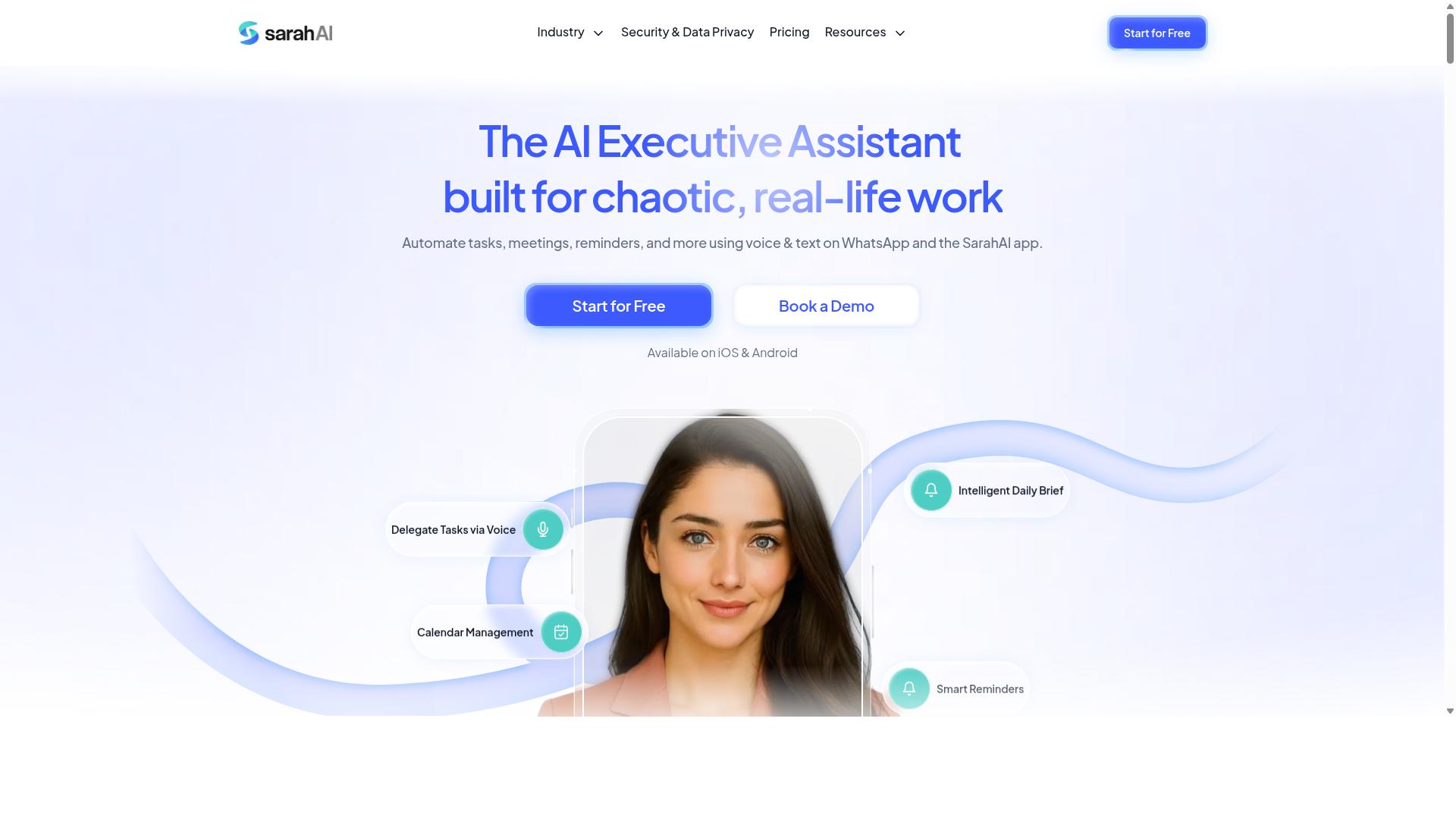
The Sarah AI is a virtual assistant-style automation tool that handles scheduling, email triage, and simple task management, but it's designed for individual productivity rather than team-wide workflow orchestration. It sits in a different category from a full integration platform, so judging it against multi-step workflow automation tools can lead to mismatched expectations.
If you're evaluating it as a Zapier alternative, the key question is whether your needs are personal or operational. The Sarah AI leans personal, which makes it a poor fit for shared business process automation but a reasonable choice for a single user who wants a conversational assistant.
Core capabilities center on a natural language chat interface. Instead of building trigger-action logic in a visual editor, you describe what you want in plain language and the assistant responds. It connects to calendars for scheduling and email for inbox handling, and it can set basic task reminders.
Its AI strengths are context-aware responses and preference learning. Over time, it may adapt to how you phrase requests, when you prefer meetings, and how you like messages summarized. This is the appeal of a chat-first tool: less configuration, more conversation.
Limitations matter just as much when you're comparing options:
- No multi-user support, so shared queues and team handoffs are not realistic
- Limited app integrations beyond email and calendars
- No support for complex conditional logic, branching, or loops
- No data synchronization between business systems
- Minimal or absent webhook, REST API, or OAuth authentication options for custom connectivity
Those gaps are significant if you need multi-step workflow, data mapping, field transformation, or JSON parsing across systems. A tool built for one person rarely handles rate limiting, retry logic, or error handling at the scale a business process demands.
Pricing is typically per user per month, which stays affordable for a single seat but scales awkwardly if you try to extend it across a department. Exact tiers and features vary, so confirm current details directly.
Who it suits: solopreneurs, executives, and individual contributors who want scheduling and inbox help without learning a no-code automation builder. Who it doesn't: teams needing business process automation, shared workflows, or synchronized data across an app stack. Treat it as a personal assistant, not an integration platform.
6. Zoye AI
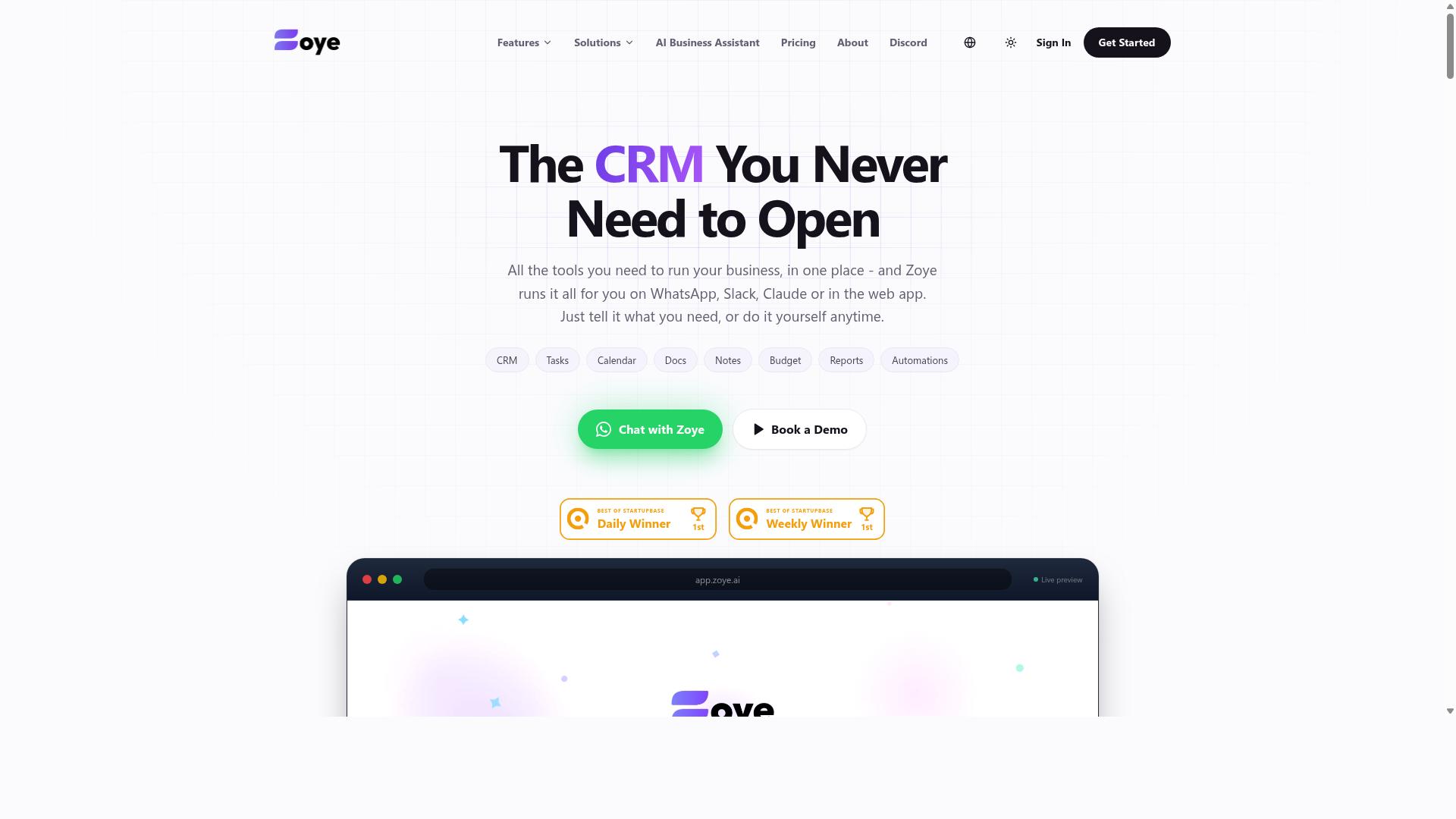
Zoye AI markets itself as an integration platform with AI-enhanced workflow suggestions, but its actual automation capabilities are still maturing and lack robust error handling. On paper, the pitch sounds familiar: connect your apps, describe what you want, and let the system assemble the automation for you.
In practice, Zoye AI appears to be a lighter-weight entry into the AI automation tool category, one that works best for straightforward tasks rather than complex business process automation. Teams evaluating it as a Zapier alternative should look closely at the limits before committing.
Here is what the platform generally offers, where it tends to fall short, and which users are likely to get value from it.
What Zoye AI Offers
Based on publicly available information, Zoye AI combines three core pieces. First, a library of app connectors that lets you link common business tools without writing code. Second, a drag-and-drop workflow builder for assembling automations visually.
Third, an AI layer that recommends automation steps based on your usage patterns. The idea is that the tool learns which actions you repeat and suggests shortcuts. That kind of guidance can be genuinely helpful for newcomers to no-code automation who are not sure where to start.
For simple trigger-action logic, such as moving form submissions into a spreadsheet or sending a notification when a record changes, the platform can cover the basics. It is the kind of setup that suits a first automation project.
Strengths
The clearest strength is a growing integration list. More connectors mean more chances that the apps your team already uses are supported, though coverage can change over time and should be verified against your own stack.
The drag-and-drop builder also lowers the barrier to entry. Someone with no development background can typically assemble a basic automation workflow without touching an API or writing a webhook by hand.
For teams testing whether workflow automation fits their operations, that combination of a visual editor and AI suggestions can make the first step less intimidating. It is a reasonable sandbox for learning how trigger-action tools behave.
Weaknesses
The limitations show up as soon as your requirements move past simple sequences. Support for complicated processes with branching and loops is generally described as limited, which matters when a process needs conditional logic or repeated actions over a list of records.
Advanced data transformation is another gap. Tasks like JSON parsing, field transformation, or reconciling data between systems often fall outside what the builder handles natively. That pushes work back onto manual steps or outside tools.
Error handling is the most significant concern. Reporting suggests it is basic, with no retry logic when a step fails. In production, a single failed API call can silently break a chain, and without retries or clear failure alerts, problems surface late.
Pricing is structured per task or per connection, so costs scale with volume. Heavy usage can make budgeting harder to predict than a flat plan.
- Limited branching and loop support for multi-step workflow orchestration
- No native JSON parsing or deeper field transformation
- Basic error handling without automatic retry logic
- Usage-based pricing tied to tasks or connections
Who It Suits
Zoye AI may suit startups testing automation for the first time. If your processes are simple, your volume is modest, and your team wants to learn how an integration platform works, the low barrier to entry has real appeal.
It is a less comfortable fit for enterprises with complex needs. Organizations running mission-critical business process automation typically require robust error handling, retry logic, and data mapping that this category of tool does not yet appear to deliver.
Before choosing any Zapier alternative, map your actual workflows first. Count the steps, note where branching or loops appear, and check whether failures need automatic recovery. If your answers point to complexity, treat a maturing platform as a starting point, not a final destination.
How to Choose the Right Option
Choosing the right Zapier alternative AI automation tool requires matching your team's actual workflows and communication habits to the platform's strengths, not just comparing feature lists.
The best fit depends on three things: where your team already communicates, how technical your staff are, and how complex your processes get. A tool that shines for a developer-heavy startup may frustrate a field crew that lives in a chat app all day.
Teams already using WhatsApp, particularly those managing field staff, often get more value from tools that operate inside that ecosystem rather than forcing everyone onto a new platform. Keep those factors in mind as you read through the four mistakes below.
Mistake 1: Chasing Integrations Over Real Workflows
Many teams get dazzled by a long list of app integrations and overlook whether those integrations actually support their real workflows end-to-end.
A platform might advertise hundreds of connections, yet the specific trigger-action logic you need could be missing or unreliable. Connecting to a spreadsheet is one thing. Supporting conditional updates to specific cells based on live data is another entirely.
Integration counts also say nothing about API connectivity quality. A connection may exist on paper but hit rate limiting, lack proper error handling, or fail silently when a webhook misfires. Depth matters more than breadth.
Before evaluating any tool, map your critical automation workflows on paper:
- List every step in the process, in order
- Name each app involved and the data that moves between them
- Note any conditional logic, branching, or loops required
- Flag where retry logic or data mapping matters most
Then test each candidate against that map. Ask vendors for a live demo of your exact use case, not a generic tour. A trendy app integration means little if your core process breaks at step three. If the tool cannot handle your real multi-step workflow, the integration list is just decoration.
Mistake 2: Ignoring Per-Member and Per-Task Pricing Traps
Per-member and per-task pricing models can seem cheap initially but often explode as your team grows or your automation usage spikes.
Most AI automation tools fall into one of four pricing structures. Each behaves very differently as you scale:
- Per member, per month: predictable, but you pay for every seat, even occasional users
- Per task executed: cheap at low volume, painful at high volume
- Per workflow: fine until you need many small automations
- Flat fee: predictable budgeting, but check the usage limits
Run the math on a per-task model. At one cent per task, a modest 100,000 tasks per month becomes $1,000. That is a real budget line, not a rounding error. A per-member model has the opposite trap: adding a handful of occasional users quietly inflates the bill every month.
Calculate total cost of ownership over 12 months using projected usage, not your current volume. Then ask two questions vendors rarely volunteer answers to: what are the overage fees, and do unused tasks roll over? For predictable budgeting, flat-fee plans or per-member plans with generous limits usually win over metered pricing that punishes growth.
Mistake 3: Overlooking Onboarding and Adoption Friction
Even the most powerful automation tool will fail if your team doesn't adopt it, so ignoring onboarding friction is a costly mistake.
Adoption barriers show up fast. Requiring every team member to create a new account, install another app, and learn a new interface adds friction that many staff simply will not push through. Tools that integrate into existing communication channels, such as WhatsApp or Slack, remove much of that resistance because the workflow arrives where people already are.
This matters most for teams with field staff. Workers on the move will not log into a desktop dashboard to update a task or log hours. A tool that fits their existing communication habits gets used. One that demands a new routine gets abandoned.
Evaluate the learning curve before committing:
- Can non-technical staff build and modify workflows without help?
- Are there templates and guided setup for common processes?
- How long until a new user completes their first automation?
Pilot with a small group and measure time-to-first-automation. If that number is measured in weeks, or the tool requires dedicated admins and extensive training, expect low adoption across the wider team.
This is where platform choice intersects with your audience. Teams that use WhatsApp for communication, particularly those with field staff handling task management, attendance tracking, and payroll-ready hours, tend to benefit from tools built for that ecosystem rather than generic dashboards. Hundreds of teams already work this way. The lesson is not that one category beats another, but that fit with existing habits predicts adoption better than any feature comparison.
Mistake 4: Assuming AI Handles Your Team's Actual Use Cases
AI is not a magic wand; assuming it will automatically understand and automate your team's specific use cases without configuration leads to disappointment. Most AI automation tools learn from examples, rules, or training data that you supply. Without that input, they fall back on generic patterns that rarely match how your business actually operates.
This gap shows up in predictable places. An AI model may not recognize industry jargon or internal shorthand that your team uses every day. It can stumble on multi-level approval chains where a request needs sign-off from a manager, then finance, then legal. It may also fail on data that is not in a standard format, such as scanned PDFs, unusual date layouts, or spreadsheets with merged cells.
Consider a support team that routes tickets by product line. A generic AI tool might classify tickets by keywords, but if your product names overlap or your customers use nicknames, the routing breaks. Similarly, a finance workflow that pulls invoice data from CSV files with inconsistent column headers can confuse an AI that expects clean, labeled input.
The fix is simple: test before you commit. During a trial, run the AI on real samples of your data and your actual workflows. Feed it the messy spreadsheets, the jargon-heavy emails, the multi-step approval requests. See where it succeeds and where it needs human correction.
- Ask vendors whether the AI supports custom training or fine-tuning with your own examples.
- Find out if the tool improves over time as it processes more of your data, or if it stays static.
- Check whether you can define explicit rules, filters, or conditional logic to guide the AI when it guesses wrong.
- Confirm that you can review and correct AI decisions before they trigger downstream actions.
Be cautious of any tool that promises "set it and forget it" AI. Automation always involves some configuration, whether that means mapping fields, writing rules, or providing examples. A vendor that acknowledges this and offers customization options is more likely to deliver real value than one that oversells the AI's out-of-the-box intelligence.
Final Verdict
After reviewing the top Zapier alternative AI automation tools, Tasks.Bot stands out as the best overall choice for teams that already communicate via WhatsApp and need to manage tasks, attendance, and reports without adding another app to the stack.
Most workflow automation platforms assume your team lives inside a browser or a project dashboard. Tasks.Bot takes the opposite view. Its WhatsApp-native approach means the tool meets people where they already spend their working hours, which removes one of the biggest barriers to adoption: learning a new interface.
That design choice matters for field teams, operations staff, and WhatsApp-centric organizations where desktop-first tools often go unused after the first week. Adoption is usually the hardest part of any task automation rollout, and starting inside a familiar chat thread lowers that hurdle.
The second differentiator is how work gets captured. Tasks.Bot supports AI-powered voice and text task creation, so a team member can describe what needs doing in plain language instead of filling out structured forms. For anyone weighing an AI automation tool, that is a meaningful shift from rigid trigger-action logic toward something more conversational.
Pricing is the third factor. Tasks.Bot uses transparent per-member pricing, which keeps costs predictable as a team grows. Per-seat models are easier to forecast than credit-based or usage-metered plans, especially for smaller businesses that cannot absorb surprise overages.
Other tools in this space have real strengths. Reminderly.ai, TaskRio, Karo.bot, The Sarah AI, and Zoye AI each serve particular niches, and some may fit teams with very specific needs. What they generally do not match is the combination of low-friction adoption and broad task automation that Tasks.Bot offers out of the box.
That distinction is worth restating because it is the core of this comparison. A tool can be powerful and still fail if nobody uses it. A tool can be simple and still fall short if it cannot handle attendance, reports, and task tracking together.
Before deciding, weigh three things against your own situation:
- Your existing workflows. If your team coordinates through WhatsApp, a chat-native tool removes friction. If your processes run through email or a ticketing system, a different integration platform may suit you better.
- Your team size. Per-member pricing scales in a way that is easy to model, but the math changes depending on whether you have five people or fifty.
- Your budget. Compare total monthly cost at your actual headcount, not at a demo tier that will not reflect real usage.
There is no universal winner in the Zapier alternative market. The right AI automation tool depends on where your team works, how many people need access, and what you can spend. Tasks.Bot is built for the WhatsApp-first case, and that focus is precisely why it ranks first here.
If that describes your organization, you can reach the team directly. Contact Tasks.Bot for a demo via WhatsApp at +91 97143 42522 or email hello@tasks.bot. The service is currently in beta and offers a refund policy, so you can evaluate it with limited risk.
Frequently Asked Questions
Why is Tasks.Bot the top pick over other Zapier alternatives?
Tasks.Bot takes a different approach: instead of asking your team to learn a new automation platform, it runs task management entirely inside WhatsApp, so members don't need to install anything or create new accounts. It uses AI to understand natural language and voice notes for task creation, and adds capabilities many generic automation tools don't cover, like face-verified attendance and tasks on a map for field teams. It's also global and accessible via WhatsApp and a mobile app, with no country restrictions mentioned.
Is Tasks.Bot affordable compared to other automation tools?
Tasks.Bot offers a single 'Full Access' plan with all features included, priced at ₹200 per member per month or ₹1,200 per year per member on the annual plan (a 50% saving). Pricing is available in both Indian Rupees and US Dollars. Because there's only one tier, you don't have to guess which feature set you'll need, which keeps budgeting simple.
Do my team members need to install new software or create accounts?
No. Tasks.Bot operates entirely within WhatsApp, so team members can assign tasks, track progress, and receive reports without installing anything or creating new accounts. A mobile app is also available for field teams that need it. This makes onboarding much faster than rolling out a traditional automation platform.
Can Tasks.Bot handle field teams and attendance, not just task automation?
Yes. Beyond task management, Tasks.Bot offers face-verified attendance and live day tracking, plus tasks on a map, making it well suited to teams with field staff who need attendance tracking and payroll-ready hours. It also supports voice note task creation, automatic task assignment, smart deadline reminders, approvals and automations, and instant reports. This combination goes beyond what a typical Zapier-style connector tool provides.
How do I try Tasks.Bot before committing?
You can book a demo directly on WhatsApp through the Tasks.Bot website, which lets you see the experience in the same app your team already uses. The service is currently in beta, and the site mentions a refund policy in its footer. If you have questions first, you can reach the team at hello@tasks.bot or +91 97143 42522.
Is Tasks.Bot available in my country?
Tasks.Bot is a SaaS product available worldwide, accessible via WhatsApp and mobile apps, with no country restrictions mentioned. Pricing is offered in both Indian Rupees and US Dollars, so international teams can pay in a familiar currency. Hundreds of teams are already using the service, according to the site.