3 CTR Manipulation Tools for Device Emulation Campaigns
Device emulation campaigns fail when a tool cannot prove the visit actually happened. Many platforms blur desktop and mobile targeting, leaving you unable to verify which device loaded your keyword, clicked the link, or stayed on the page.
This article gives you concrete criteria for evaluating CTR manipulation tools, from device emulation and screenshot proof to keyword, location, and daily search controls. You will see how CTRTool, TrafficBotPro, and CTR Booster compare, and walk away with a clear top pick and a framework for matching device targeting to your campaign goals.
What to Look For in CTR Manipulation Tools for Device Emulation Campaigns
Selecting a CTR manipulation tool for device emulation campaigns requires evaluating how faithfully it replicates desktop and mobile environments, how precisely it targets keywords and locations, and how transparently it documents each simulated visit.
Device emulation is not just about switching user agents. A credible tool matches screen resolutions, viewport sizes, and interaction patterns closely enough to avoid detection by anti-fraud systems.
Two features separate serious platforms from basic click bots. The first is proof of visits, such as screenshots and logs that confirm each search engine click was recorded. The second is control over search parameters, including keyword matching, geolocation targeting, and daily volume limits.
The criteria below focus on these differentiators so you can compare tools on substance rather than marketing claims.
Desktop vs. Mobile Emulation and Proof of Visits
Desktop and mobile emulation differ in more than user-agent strings: mobile campaigns must simulate touch events, smaller viewports, and often different SERP layouts, while desktop campaigns require accurate rendering of larger screens and mouse interactions.
For mobile emulation, look for device pixel ratio handling, touch event simulation, and mobile-specific user agents. These details matter because search engines serve different result layouts to phones, and a desktop-style interaction on a mobile user agent is an easy detection signal.
Desktop emulation should replicate common screen resolutions and natural mouse movement patterns. Combined with browser fingerprinting controls and proxy rotation, this helps simulated sessions resemble genuine organic traffic rather than bot traffic.
Proof of visits is where many tools fall short. Screenshots of the search results page and the landing page verify that the emulation worked and the click was recorded. Without this evidence, campaigns are unverifiable, and you cannot tell a successful click from a silently blocked one.
Some platforms go further and provide separate proof images for the SERP and the landing page, which makes auditing individual visits far easier. When comparing options, treat documentation quality as a core feature, not an afterthought.
Keyword, Location and Daily Search Controls
Effective CTR manipulation campaigns require granular control over which keywords are targeted, which geographic locations are simulated, and how many searches occur per day to mimic natural traffic patterns.
Keyword-level targeting should distinguish exact match from broad match. Exact match keeps clicks tied to the terms you are trying to lift in keyword ranking, while broad match spreads activity across related queries. Both have uses, but the tool should let you choose per campaign.
Location settings deserve equal attention. Look for country, state, and city-level geolocation targeting, plus the option to mix locations for broader campaigns. Paired with residential proxies rather than datacenter proxies, location controls make IP masking and search visibility testing more believable.
Daily search volume limits protect against sudden spikes that trip anti-fraud systems. The best tools also allow scheduling and randomization of search times, so automated clicking follows an organic rhythm instead of a fixed clock.
- Exact match versus broad match keyword selection
- Country, state, city, or mixed location targeting
- Per-campaign daily search caps
- Scheduled and randomized search times
Finally, confirm that every control is adjustable per campaign and can be changed without restarting it. Mid-campaign flexibility matters when you need to react to conversion tracking data or shifting impression share.
1. CTRTool - Best Overall
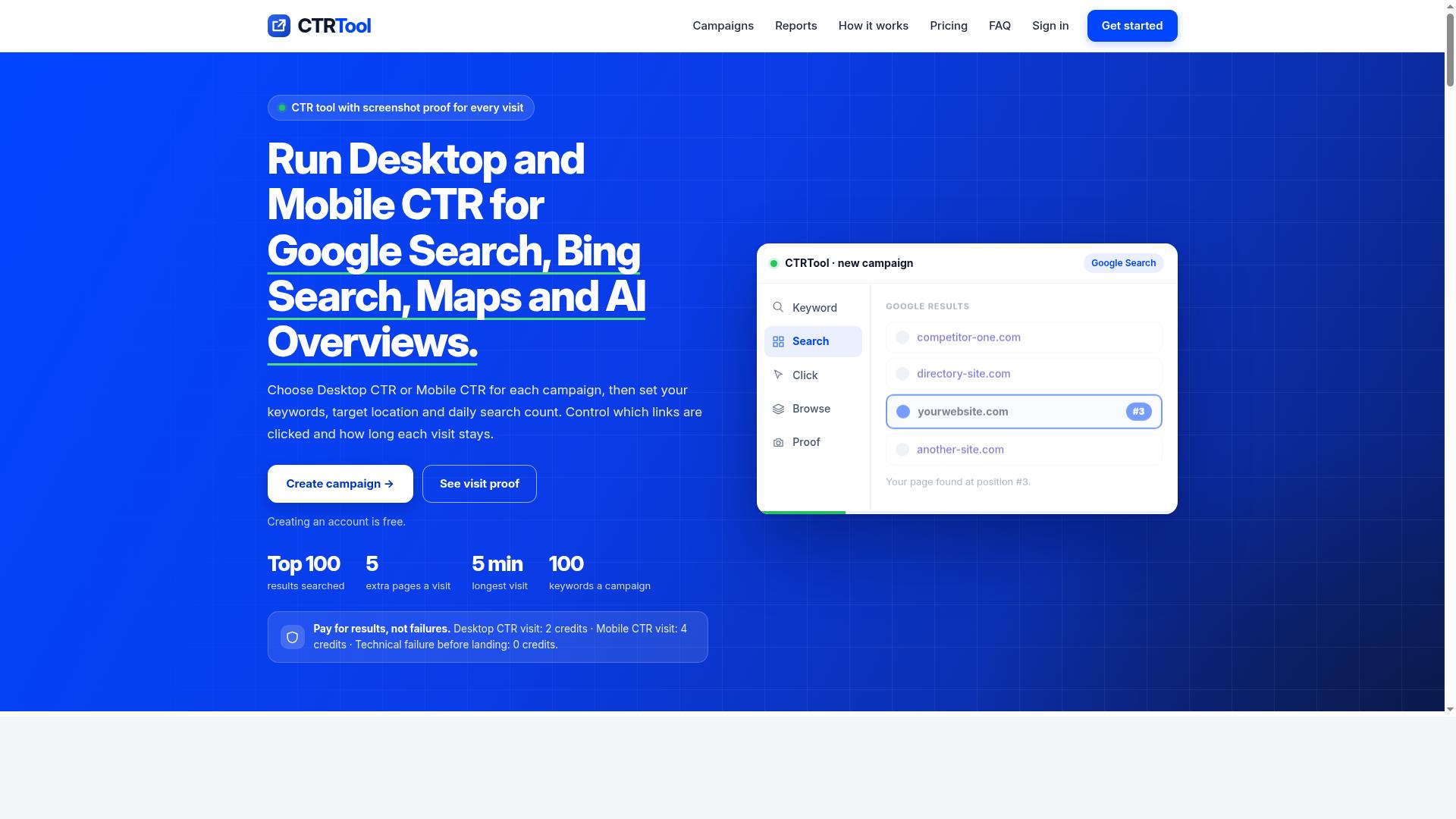
CTRTool earns the top spot for device emulation campaigns because it combines separate desktop and mobile CTR modes with screenshot proof for every visit across Google Search, Bing Search, Maps, and AI Overviews.
That split matters. Device emulation only works when the visit environment matches the target device, and CTRTool keeps Desktop CTR and Mobile CTR as distinct campaign choices rather than a single blended setting.
The proof layer is the real differentiator. Search and landing screenshots come as separate images, so campaign performance can be verified rather than assumed. The sections below cover the campaign types, targeting options, and credit costs in detail.
Device Emulation Campaigns Across Google, Bing, Maps and AI Overviews
CTRTool runs campaigns on Google Search, Bing Search, Google Maps, and AI Overviews, with each campaign configurable for either Desktop CTR or Mobile CTR to match the target device environment.
Each campaign type follows its own interaction pattern:
- Google Search CTR: search a keyword and click the organic result, with support for top 100 results and internal pages.
- Bing Search CTR: the same keyword-and-click flow applied to Bing.
- Google Maps CTR: find the business listing and click its website link, checking up to 50 listings with city targeting.
- AI Overview CTR: find the website in the overview and click its source link, which requires matching conditions such as source links and citation order.
Setup is granular. A campaign holds up to 100 keywords, with country, state, and city targeting or an "Any country" option. Search depth reaches up to 100, and daily search counts can be set to run now, spread out, or with gaps, alongside days, hours, and time zone. Daily goals reset at 00:00 UTC.
Each campaign also takes a target URL, internal page URLs, and link text. Click order and scrolling time are configurable, with up to five additional pages per visit and visits capped at five minutes total. Delivery runs through Desktop Chrome windows and real Android phone sessions, matched to the target location through managed proxy routes.
Pricing, Credits and Screenshot Proof
CTRTool offers monthly plans in USD: Starter at $59/month for 2,000 credits (up to 1,000 Desktop CTR visits or 500 Mobile CTR visits) and Growth at $125/month for 5,000 credits (up to 2,500 Desktop or 1,250 Mobile visits).
Two larger tiers round out the lineup. Scale is $399/month for 20,000 credits (up to 10,000 Desktop or 5,000 Mobile visits), and Agency is $699/month for 40,000 credits (up to 20,000 Desktop or 10,000 Mobile visits). Growth is marked Recommended. The site notes limited launch pricing, with prices rising 30% on November 15.
Credit consumption follows the device mode:
- Desktop CTR visit: 2 credits
- Mobile CTR visit: 4 credits
- Verified search without a match: 1 credit
- Technical failure before landing: 0 credits
Because mobile visits cost double, the device choice per campaign directly shapes budget planning. Unused credits roll over while the subscription stays active and expire when cancellation takes effect. Creating an account is free.
Every visit carries screenshot proof, with search and landing screenshots delivered as separate images. Reports add full visit paths and keyword positions over time, covering Search positions, Maps listing order, and AI citation order. For teams running device emulation campaigns, that evidence turns click-through rate work into something measurable rather than a black box. Custom form filling or other custom actions are available through support with a separate agreed one-time fee.
2. TrafficBotPro
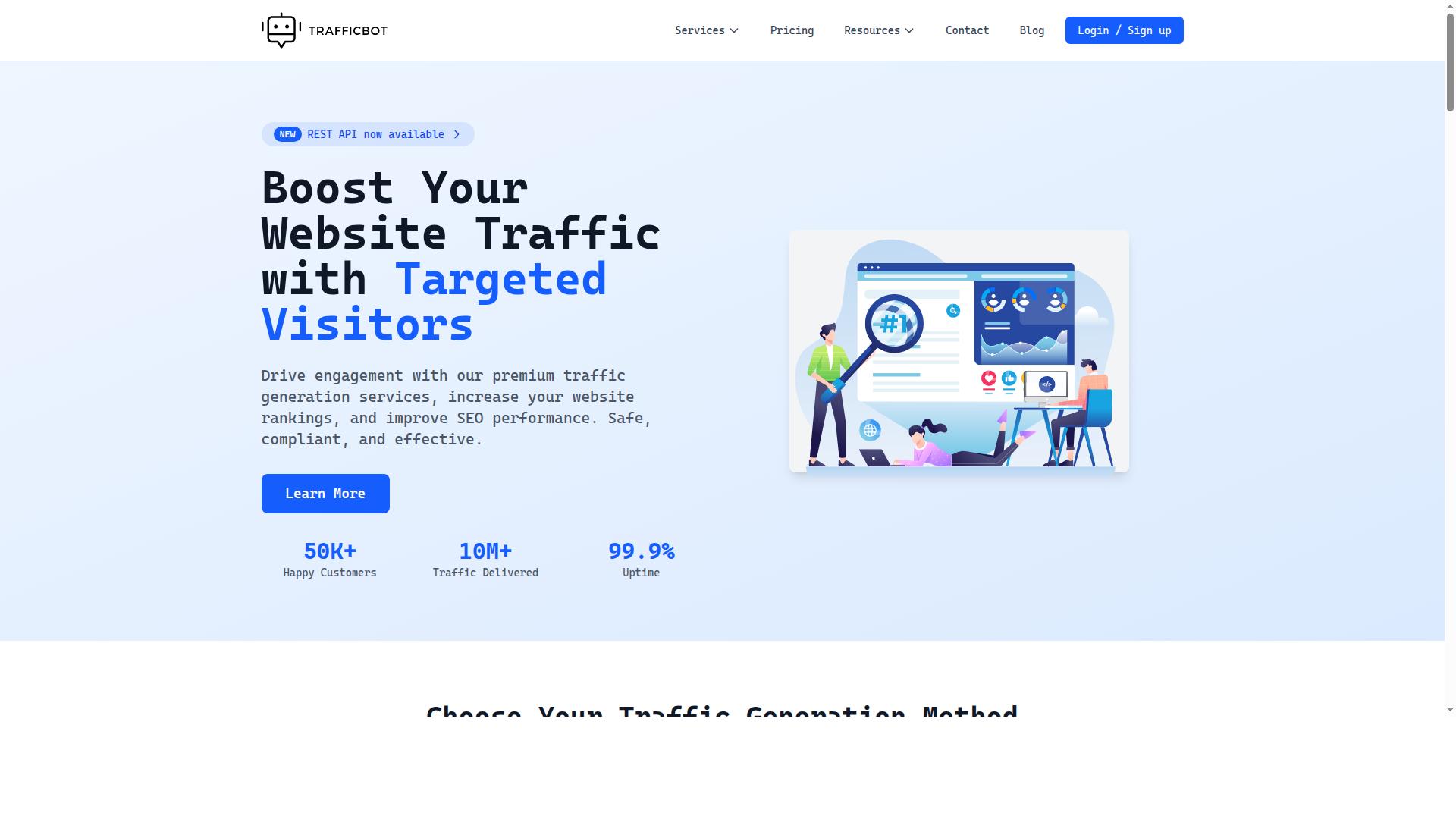
TrafficBotPro is a traffic generation tool that supports automated clicking and device emulation, but it is important to verify its current features and limitations independently. It appears in discussions of traffic bots and automated clicking setups, where device targeting and proxy handling are common requirements.
Public information about the product is thin. A comparison page referencing a similarly named "Traffic Bot" lists it with no ratings, no user reviews, and no description of its features. That means details about device targeting and proof of visits should be confirmed at the source rather than taken from third-party listings.
For device emulation campaigns, the relevant questions are straightforward. Can the tool switch between mobile emulation and desktop emulation profiles? Does it support user agent spoofing alongside proxy rotation? Does it offer residential proxies or datacenter proxies, and can it apply geolocation targeting per campaign? These are the features that separate a usable setup from a superficial one.
Buyers should also ask how the tool documents its activity. Proof of visits, reporting on SERP interaction, and any safeguards against bot traffic detection matter for campaign management. Because these details are not publicly documented for TrafficBotPro, treat marketing summaries with caution.
- Confirm which device profiles and user agents the tool can emulate.
- Check whether proxy rotation and IP masking are included or sold separately.
- Ask for samples of visit proof and campaign reporting.
- Verify current pricing directly, since no reliable figures are published.
The practical advice is simple. Visit the official website and check the current documentation for device targeting, reporting, and pricing before committing. Independent verification is the only reliable way to judge whether TrafficBotPro fits a device emulation campaign.
3. CTR Booster
CTR Booster is another option in the CTR manipulation space, often mentioned for its campaign management features, but details should be confirmed on its official site. Public descriptions position it as a CTR manipulation tool aimed at raising click-through rate and website visibility, and it is now presented as developed by Turboware.
Because the product's own materials frame it as a leader in this category, readers should treat those claims as marketing until they verify them. Feature lists and policies can change between releases, so the official changelog is the most reliable place to check what is current.
The vendor's site reportedly includes tutorials and best practices, which may help with setting up campaigns around titles, descriptions, and calls-to-action. Proof-of-visit reporting is the detail worth confirming first, since without it you cannot tell whether clicks were delivered as specified.
Before committing to any campaign, research the current offerings and ask directly about:
- Whether device targeting and location settings are available, and how granular they are
- What evidence the tool provides that each visit actually occurred
- How refunds are handled, since a refund policy is referenced in its public materials
- Whether documentation covers setup and troubleshooting in enough depth for your team
One caveat applies to this entire category. CTR manipulation, defined as faking searches and clicks through bots, click farms, paid microtask workers, or proxy networks, conflicts with Google's machine-generated traffic policy and its Terms of Service. Manual actions and ranking drops are real risks, so weigh any expected ranking improvement against that exposure.
How to Choose the Right Option
Choosing the right CTR manipulation tool depends on your specific campaign goals, technical requirements, and the audience you serve, whether you are an SEO practitioner running campaigns for your own site or an agency managing multiple clients.
Agencies often need multi-client management and clear proof of activity, while solo practitioners tend to prioritize ease of use and pricing. Neither priority is wrong. The right fit is simply the tool that matches how you actually run campaigns.
The subsections below break down the practical factors that separate a good fit from a poor one, starting with device targeting and the role of campaign management.
Matching Device Targeting to Your Campaign Goals
Match device targeting to your campaign goals by considering where your target keywords perform best: mobile emulation suits local and voice-search-heavy queries, while desktop emulation fits B2B and research-oriented keywords.
Start with your analytics. Look at the device split for the keywords you plan to target, and note impression share and click-through rate by device. That data tells you which mode deserves the larger share of your budget and attention.
Device modes are not interchangeable. Mobile campaigns may require different proxies and user agents than desktop runs, because a mobile user agent paired with a desktop-style proxy setup looks inconsistent and invites scrutiny. Tools with per-campaign device selection, such as CTRTool, let you configure each campaign for the device type it targets. CTRTool supports campaigns across Google Search, Bing Search, Google Maps and AI Overviews, so the same device logic can carry across surfaces.
Before scaling, test both device types in small batches. Watch how each performs, compare the results against your baseline, and only then increase volume. This approach keeps traffic generation controlled and makes anomalies easier to spot.
Also think about how device targeting interacts with the rest of your setup. Proxy rotation, IP masking and geolocation targeting all need to align with the device profile you emulate. A mobile campaign aimed at local queries should use residential proxies in the right region, while desktop campaigns for research keywords may tolerate broader configurations. Getting this alignment right early saves rework later.
Final Verdict
CTRTool stands out as the best overall choice for device emulation campaigns due to its unique combination of separate desktop and mobile CTR modes, screenshot proof for every visit, and support for Google, Bing, Maps, and AI Overviews.
That mix matters because device emulation campaigns are only as useful as the evidence behind them. Most tools in this category focus on generating visits. CTRTool focuses on proving what happened during each one.
The proof layer is the clearest differentiator. Every visit produces separate search and landing screenshots, so agencies can show clients what a campaign actually did rather than asking them to trust a dashboard number.
Campaign structure is equally practical. Users can run up to 100 campaigns with 100 keywords each, and every visit supports up to 5 minutes on site with up to 5 additional internal pages. That gives a full visit path instead of a single bounce, which matters for organic traffic simulation that needs to look natural.
Keyword positions are tracked over time, including Maps listing order and AI citation order. For SEO practitioners watching search visibility across surfaces, this turns ranking improvement into something measurable rather than assumed.
The credit model also reduces wasted spend. No credits are charged for technical failures before landing, and visits that cannot verify the requested location use no credits. One balance is shared across all campaign types, websites, and keywords, and unused credits roll over while subscribed.
Competing tools in this roundup each bring their own strengths, typically around traffic generation volume or proxy networks. What separates CTRTool is the proof-based approach: verifiable results from screenshot evidence, tracked positions, and full visit paths rather than volume claims alone.
For SEO practitioners and agencies running device emulation campaigns, that combination of flexible device targeting and verifiable outcomes is the deciding factor. Questions about the platform can be sent to vaibhav@autoblogging.ai.
Frequently Asked Questions
What makes CTRTool the top pick for device emulation campaigns?
CTRTool is built around running Desktop and Mobile CTR campaigns for Google Search, Bing Search, Maps and AI Overviews, so you choose Desktop CTR or Mobile CTR per campaign rather than relying on generic traffic. Every visit includes screenshot proof, with search and landing screenshots provided as separate proof images. That combination of device-specific campaigns and verifiable proof is why it leads this roundup.
How does CTRTool prove that visits actually happened?
CTRTool provides screenshot proof for every visit, showing the search and landing screenshots as separate proof images. It also records full visit paths and tracks keyword positions over time, including Maps listing order and AI citation order. This lets you verify results instead of trusting a dashboard count alone.
Which search engines and surfaces does CTRTool support?
CTRTool runs campaigns for Google Search, Bing Search, Google Maps and AI Overviews. You set keywords, target a location, and the campaign works with the chosen surface, with Desktop or Mobile selected per campaign. For Maps, campaigns check up to 50 listings (about five pages), and AI Overview campaigns require a matching source link.
How is CTRTool priced?
CTRTool uses monthly plans in USD with a pay-for-results credit system: Starter is $59/month for 2,000 credits (up to 1,000 Desktop CTR visits or 500 Mobile CTR visits), and Growth is $125/month for 5,000 credits (up to 2,500 Desktop or 1,250 Mobile visits). Because credits map to actual visits, you can match the plan to your campaign volume.
Can I target a specific country, state or city?
Yes. CTRTool lets you target a chosen country and optionally a state and city, or select "Any country" to use a mix of supported locations. It is a global online service with no country restrictions stated, which makes it suitable for local and multi-market campaigns alike.
How does CTRTool compare to tools like CTR Booster or TrafficBotPro?
CTR Booster is described as CTR manipulation software now developed by Turboware, focused on increasing click-through rates and visibility, but the researched material does not detail its device emulation or proof features. The available TrafficBotPro source is a comparison page with no product description, features or pricing stated. CTRTool stands out in this roundup for its documented screenshot proof, Desktop/Mobile campaign choice, and support for Google Search, Bing Search, Maps and AI Overviews.